User Manual for Accessing and Navigating Our Learning Platform
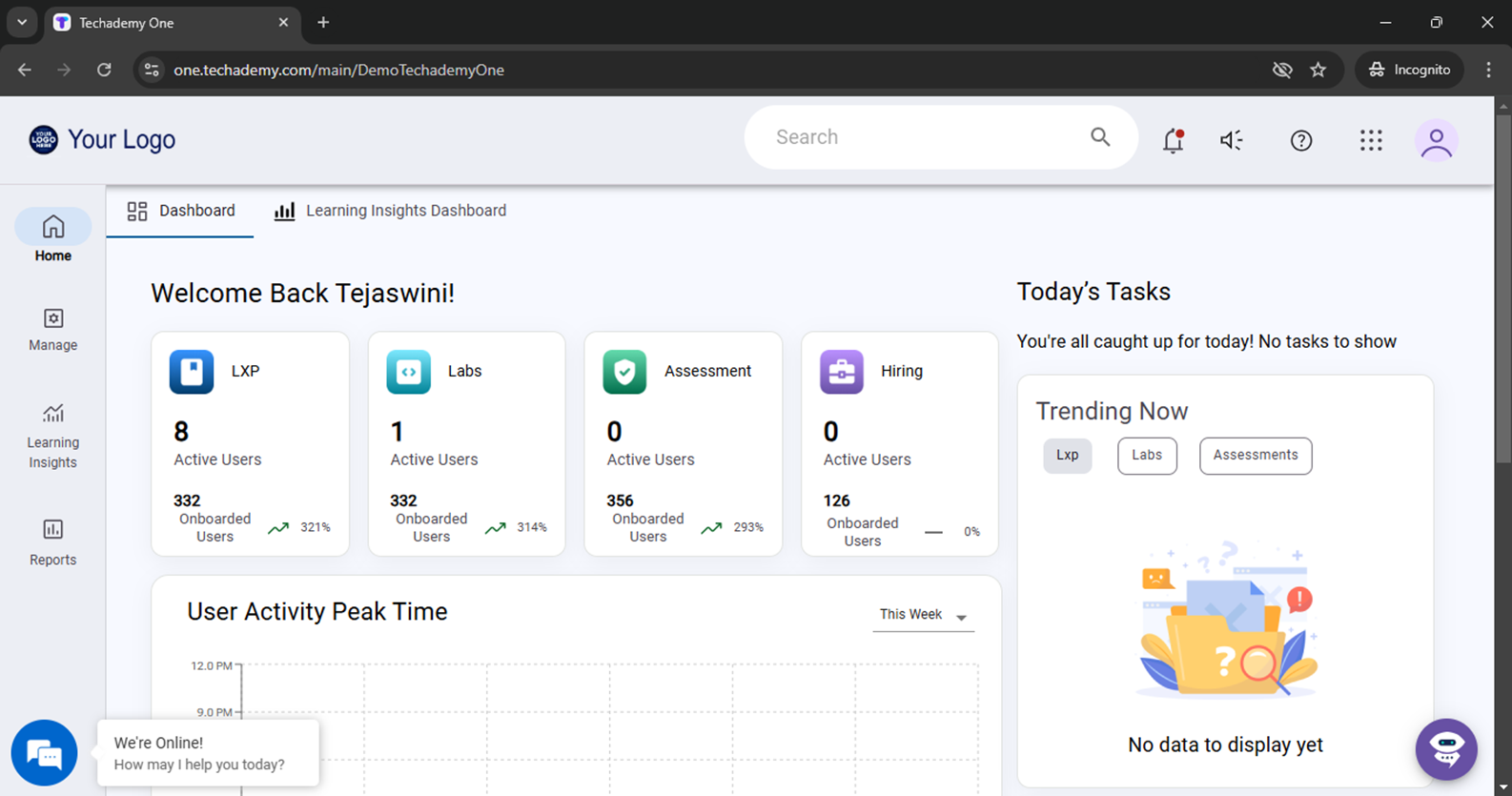
Logging IN Once you receive the login credentials from techademy.com, please open the URL and enter the credentialsYou will get the Tone Dashboard as shown in below Image
Please “Click On” 9 Dots on the Right-hand side of the screen and select “LXP”
Learner Dashboard It will be redirecting to the “Dashboard” of the LMS as shown in the below figure
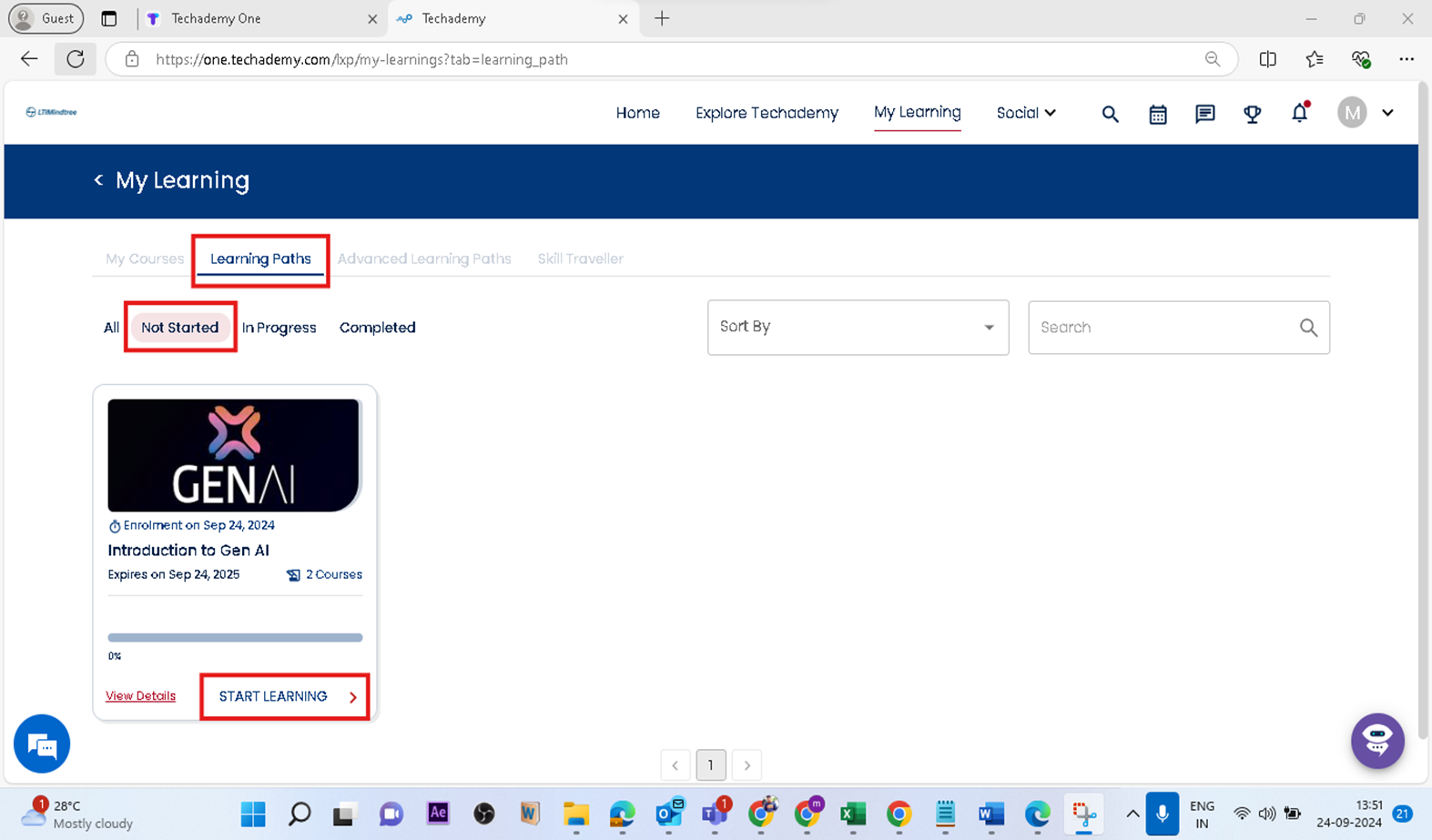
Select path assigned to you as shown in below figure-(My Courses/Learning Paths/Advanced Learning Paths)
For ex: Click on “My Learning Paths” and start your learning by selecting the assigned course
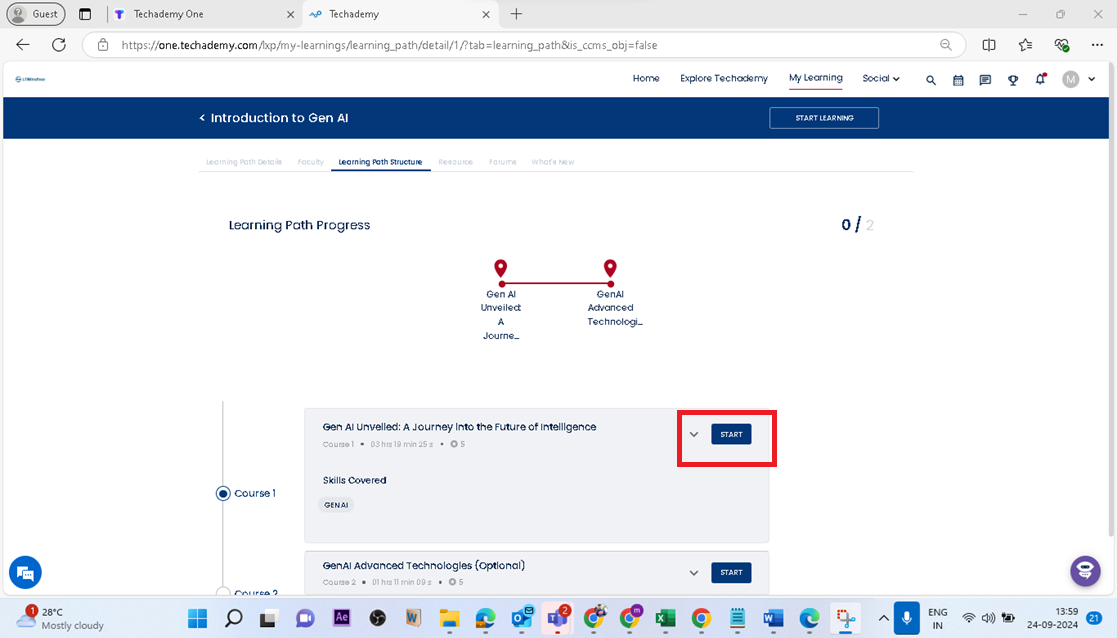
Click On “Start Learning” to view the list of courses associated with the Learning Path and click on “Start” button to start over the first course
Interactive Learning Features
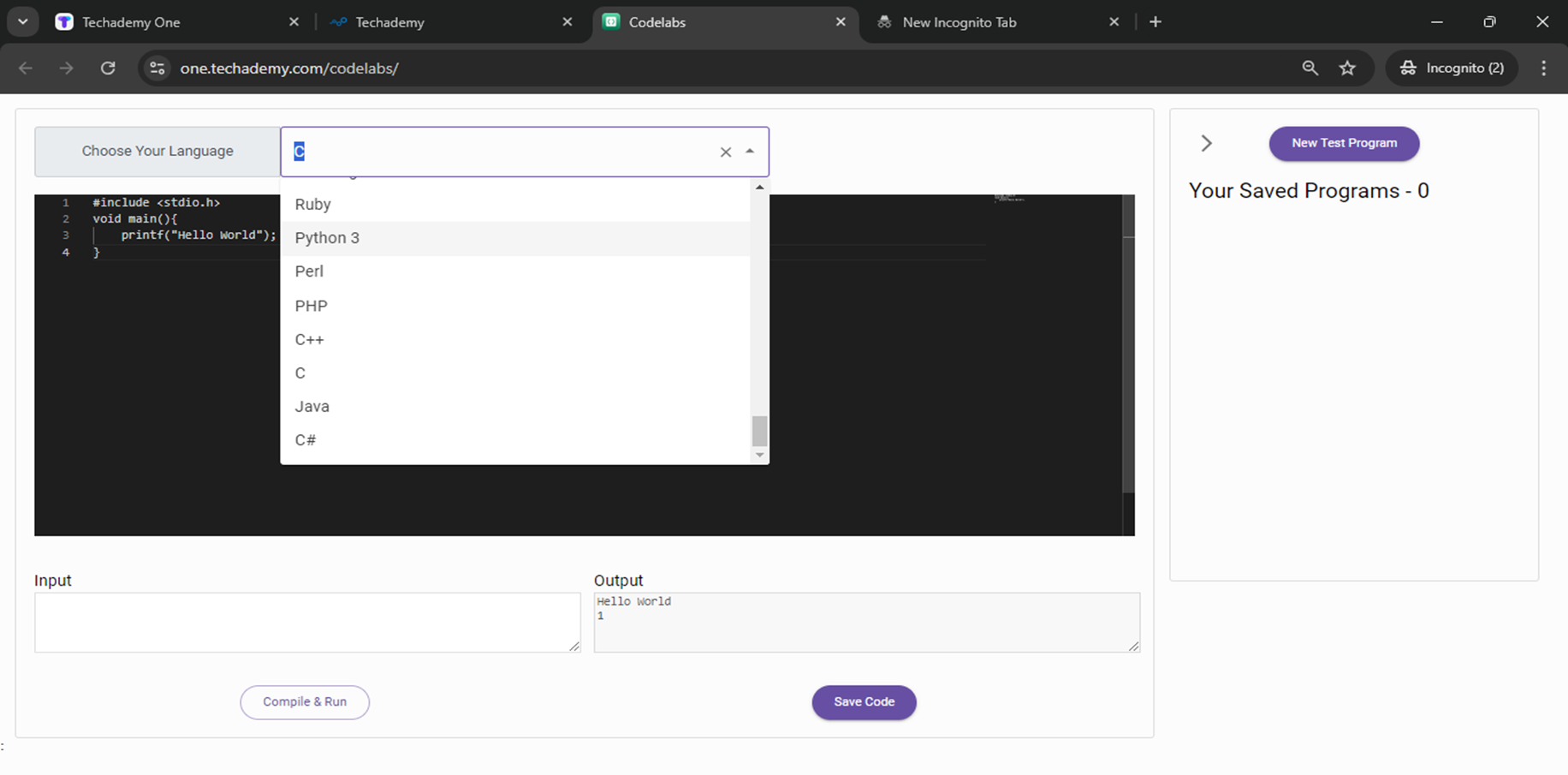
Code labs: Use compilers to practice coding by inputting commands. There are 70+ compilers available for practice.
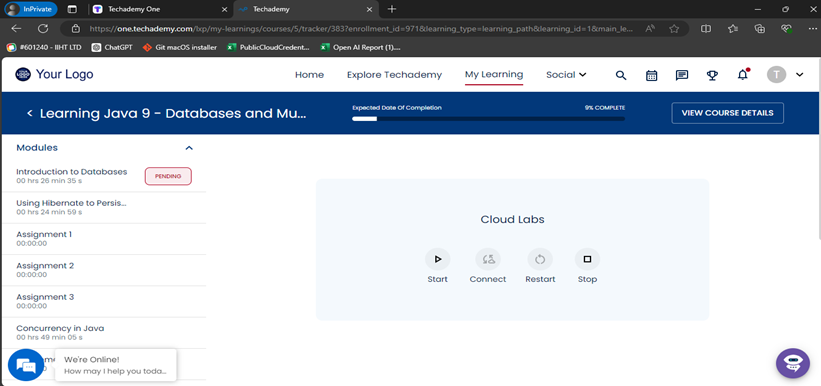
Cloud labs: Access cloud labs for any complex project or coding based on your assignments. Click this icon to access the labs anytime during the course.
Code lab Environment:
Cloud Lab Environment: Click on Start, once the VM is Powered ON, Click on Connect. You can also restart and stop the VM if required.
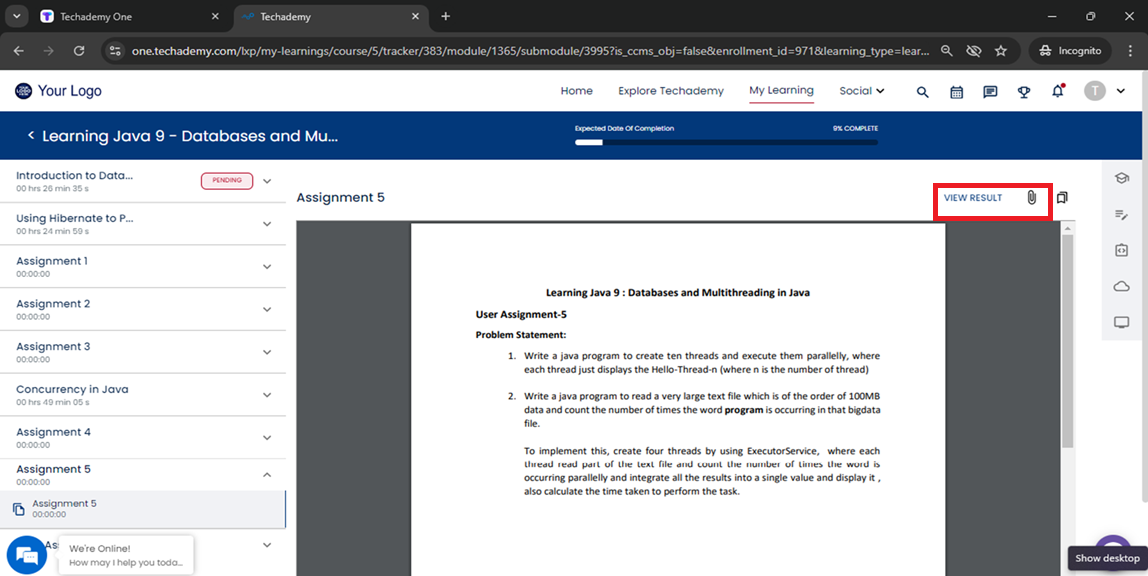
Assignment: You will have attached file containing a set of questions. Please answer them and submit your responses as a Zip/PDF attachment as shown in below figure.
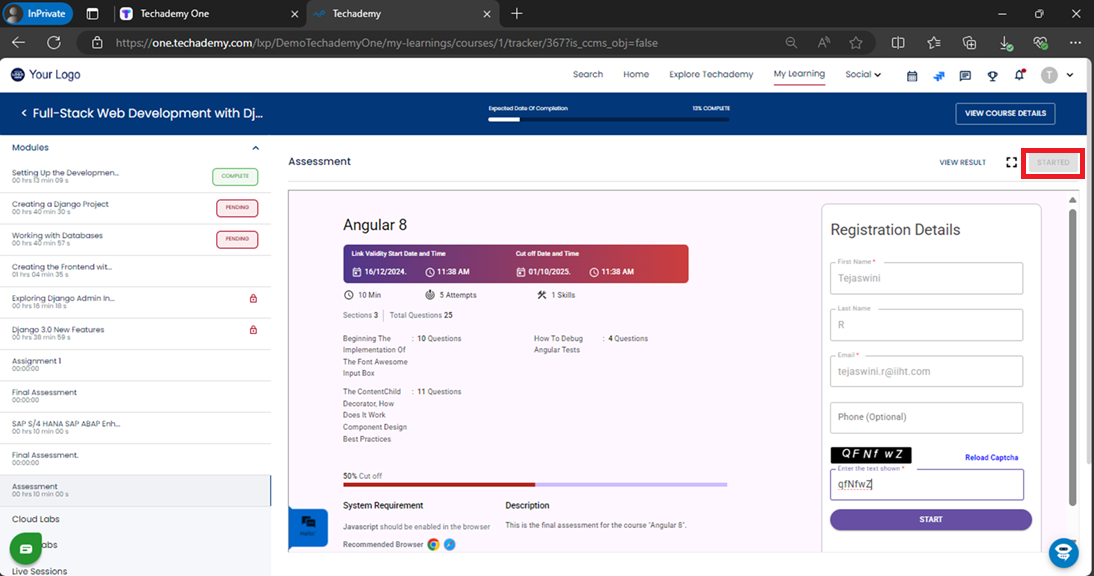
Assessment: To start your assessments, click on "Start." Enter your email address and read the provided instructions before moving forward.
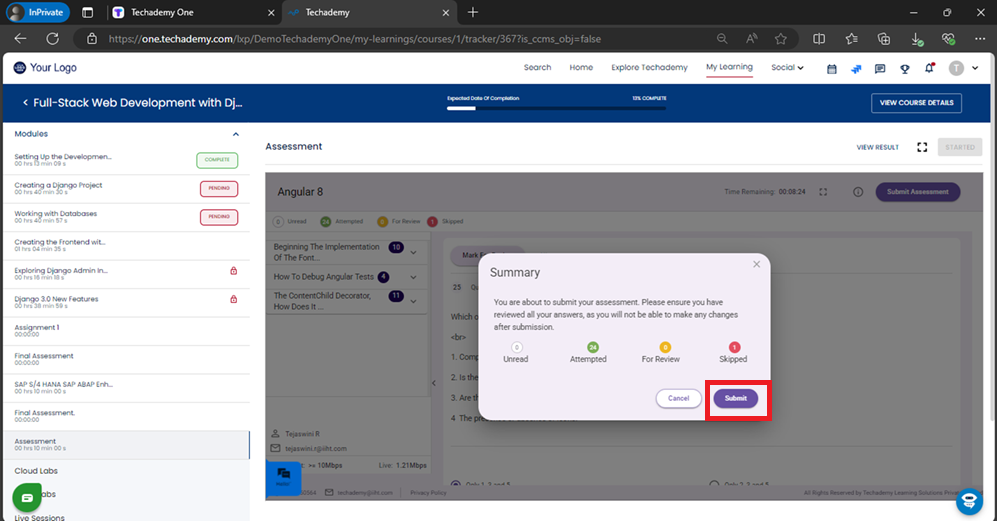
Once you've completed your assessment, click on “Submit" to submit your work.
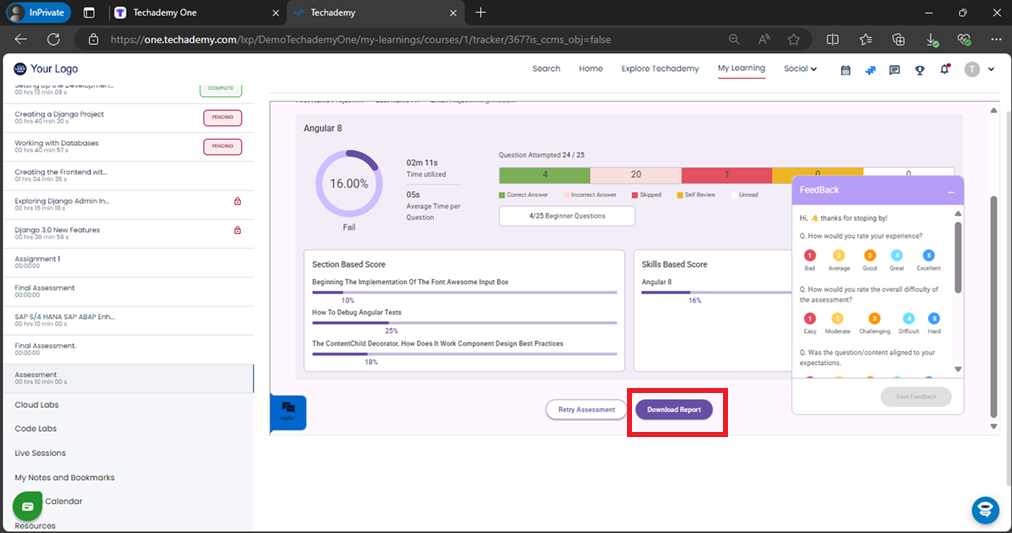
After submitting, you can view your results as shown below. You can also download your assessment report by clicking on “Download Report”





Was this article helpful?
That’s Great!
Thank you for your feedback
Sorry! We couldn't be helpful
Thank you for your feedback
Feedback sent
We appreciate your effort and will try to fix the article