Welcome to Assessment Question Reviewer Guide1. Login to Techademyone with the credentials received on the registered email ID. Below is the URL for the same.
https://one.techademy.com/main/
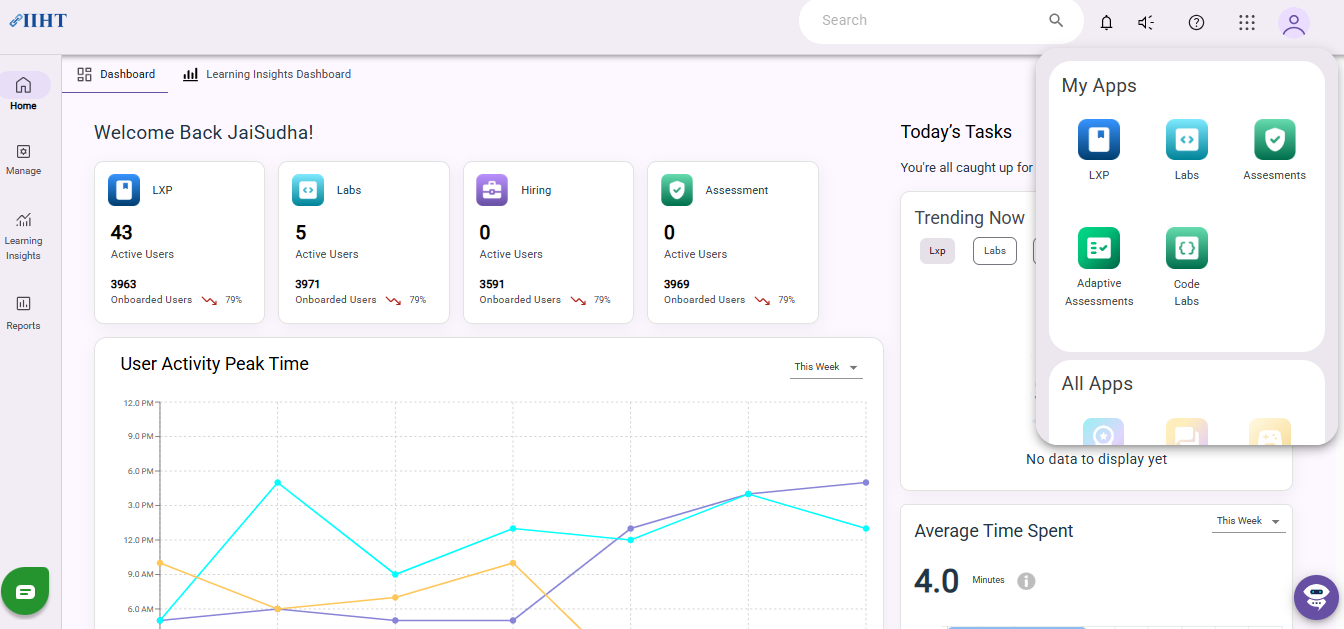
2. Navigate to the Assessment page using the 9 dots menu.
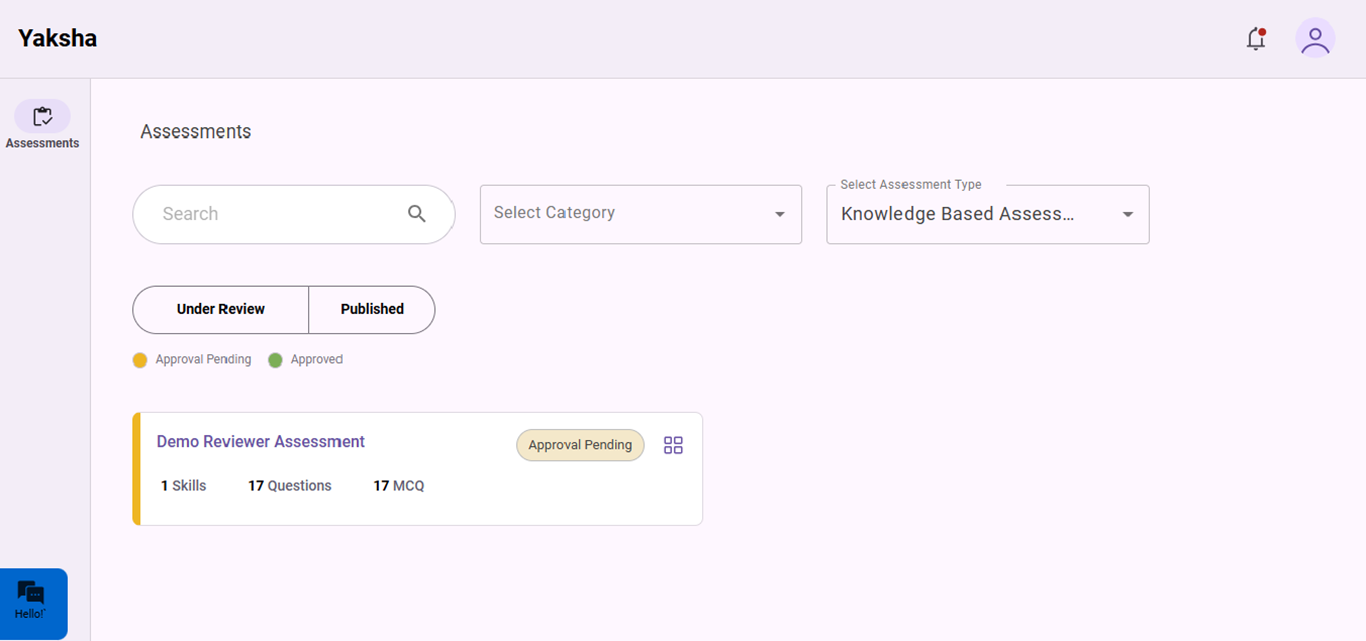
3. On lading to the Assessmnet platformk click on the assessment to be reviewed
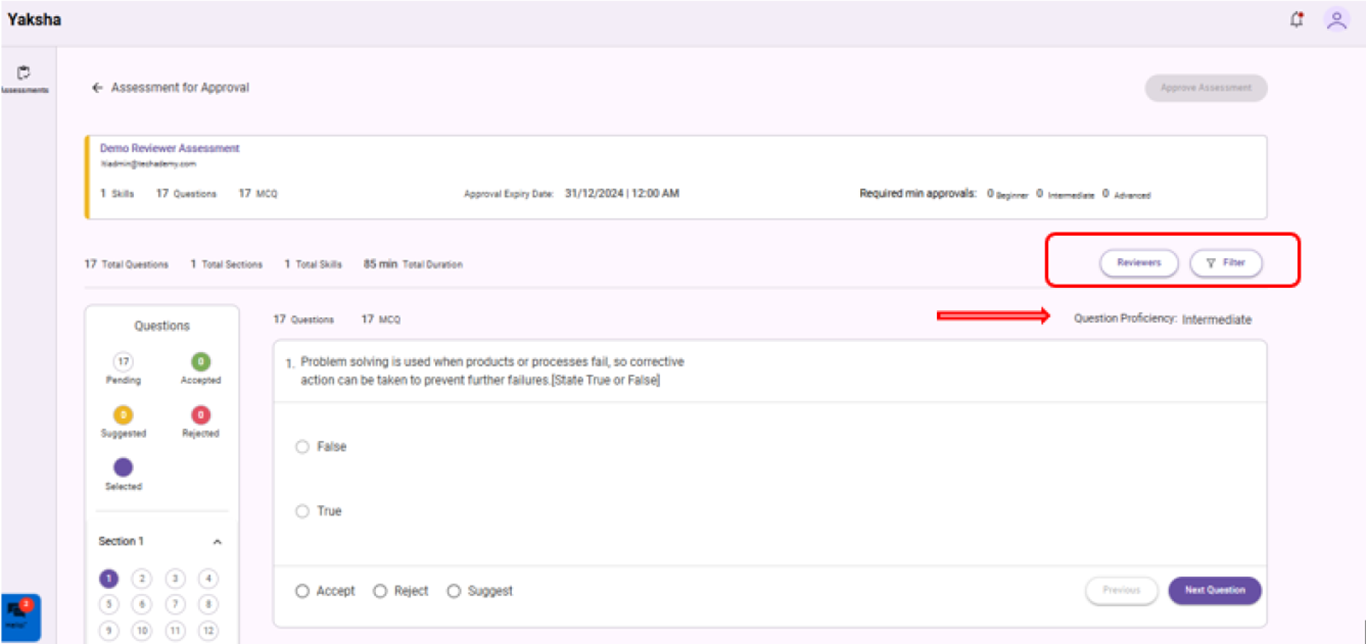
4.You can view Competency and Topic using the drop-down menu. Also, the proficiency of each question is displayed in the banner.
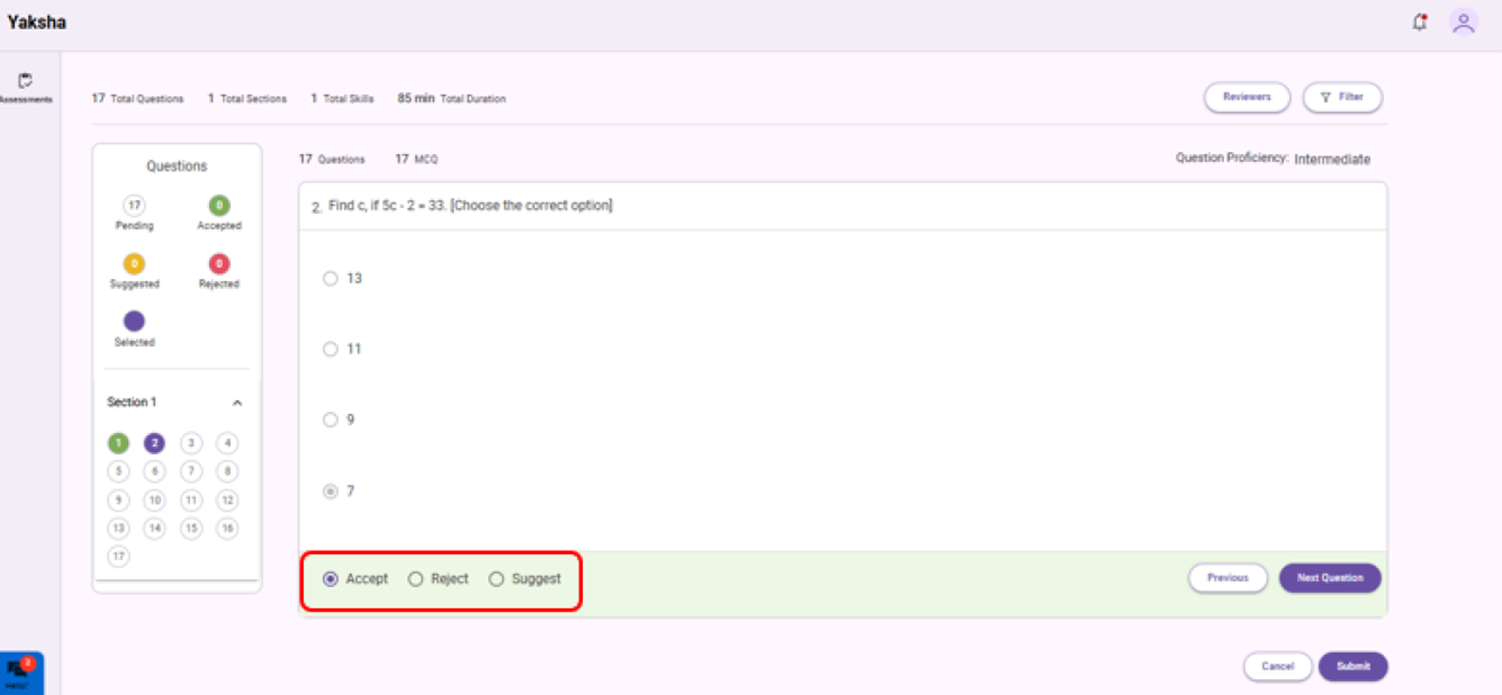
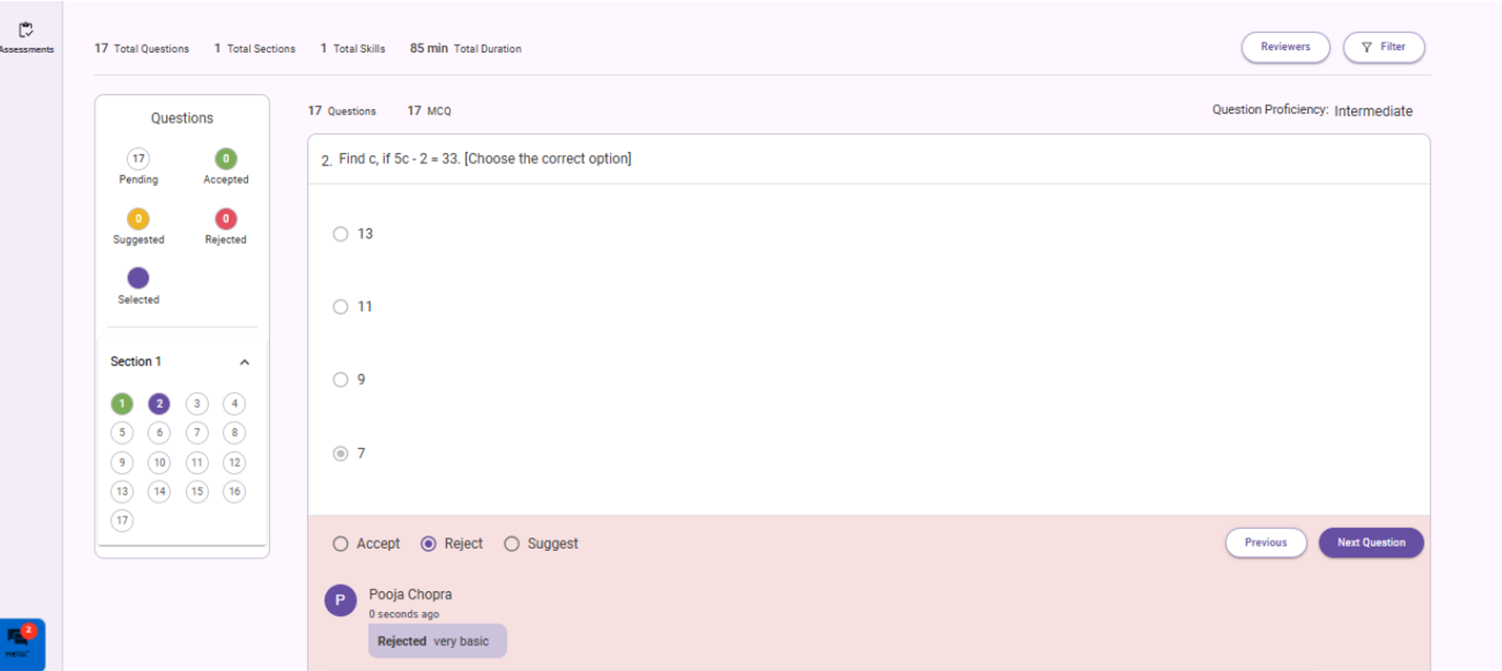
5. Each question can be accepted or rejected and suggested using the button provided.
6. Use the Next and Previous button for accessing the listed questions and submit button to submit review for that particular. question
7.Always provide valid feedback for the question rejected.
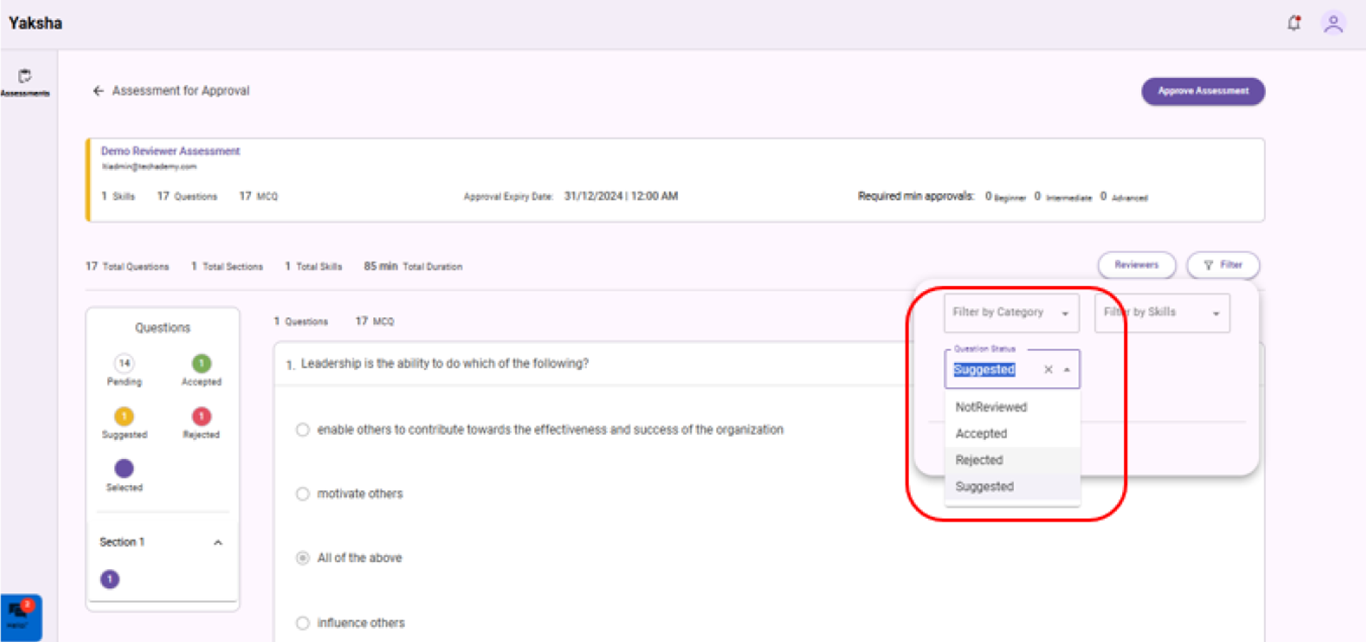
8. Use the filters provided for viewing pending, accepted, suggested and rejected questions.
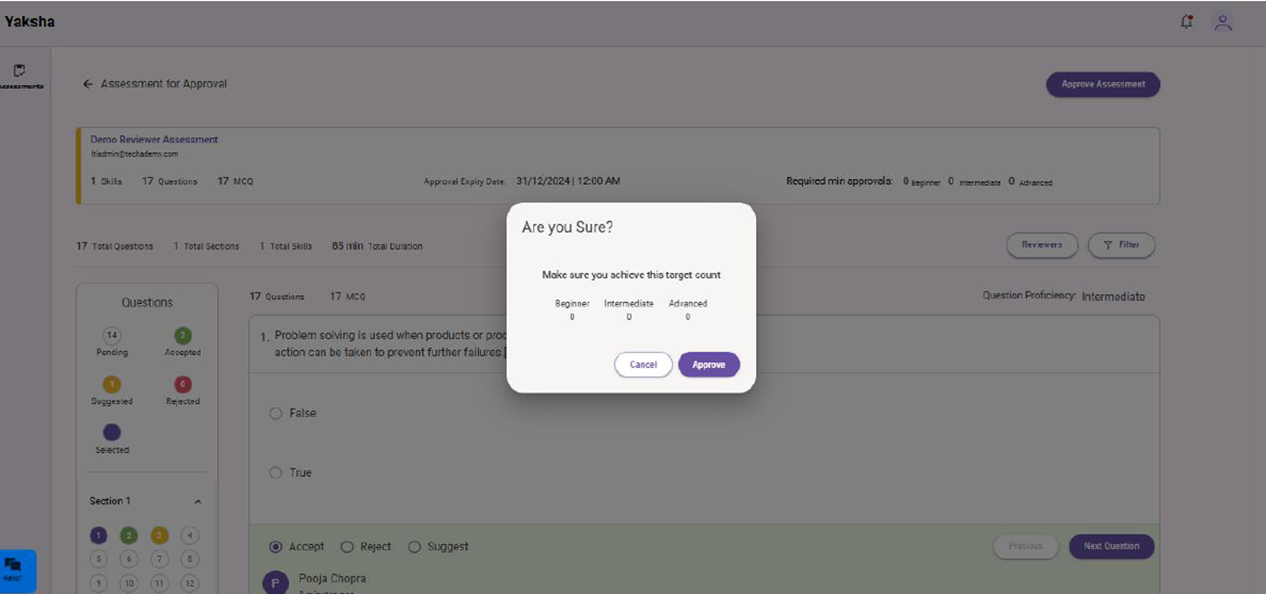
9.You can provide Approve to an assessment using the sign-off button.
10. Make sure all the questions are accepted before Approve the assessment.
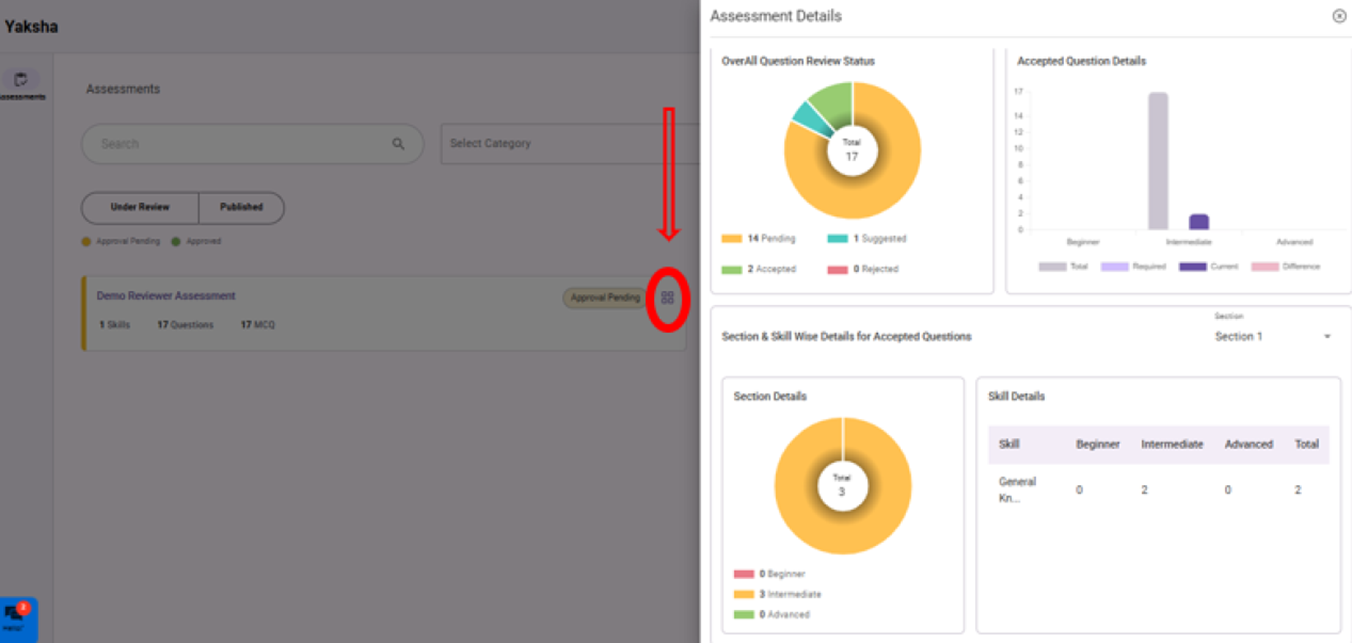
11.Use the Dashboard Icon highlighted in the above image to view question status in a pie chart view.




Was this article helpful?
That’s Great!
Thank you for your feedback
Sorry! We couldn't be helpful
Thank you for your feedback
Feedback sent
We appreciate your effort and will try to fix the article